TECH-BLOG
technology-blog (MVC)
 _________________________________________________________
Usauge Story
AS A developer who writes about tech I WANT a CMS-style blog site SO THAT I can publish articles, blog posts, and my thoughts and opinions
Description
- First Visit: Upon visiting the site, I see the homepage with existing blog posts (if any), navigation links for the homepage and dashboard, and a login option. Clicking the homepage link takes me to the homepage.
- Navigation Links: When I click any other navigation links, I’m prompted to sign up or sign in.
- Sign Up: If I choose to sign up, I create a username and password. Clicking the sign-up button saves my credentials, and I’m logged into the site.
- Returning Visit: When I revisit the site later and sign in, I enter my username and password. 4 . Logged In: As a signed-in user, I see navigation links for the homepage, dashboard, and log out.
- Homepage View: Clicking the homepage link takes me to existing blog posts, showing post titles and creation dates.
- Blog Post Details: Clicking an existing blog post reveals the title, contents, post creator’s username, and creation date. I can also leave comments on posts. Comment Submission: If I submit a comment while signed in, it’s saved, and the post displays the comment, creator’s username, and date.
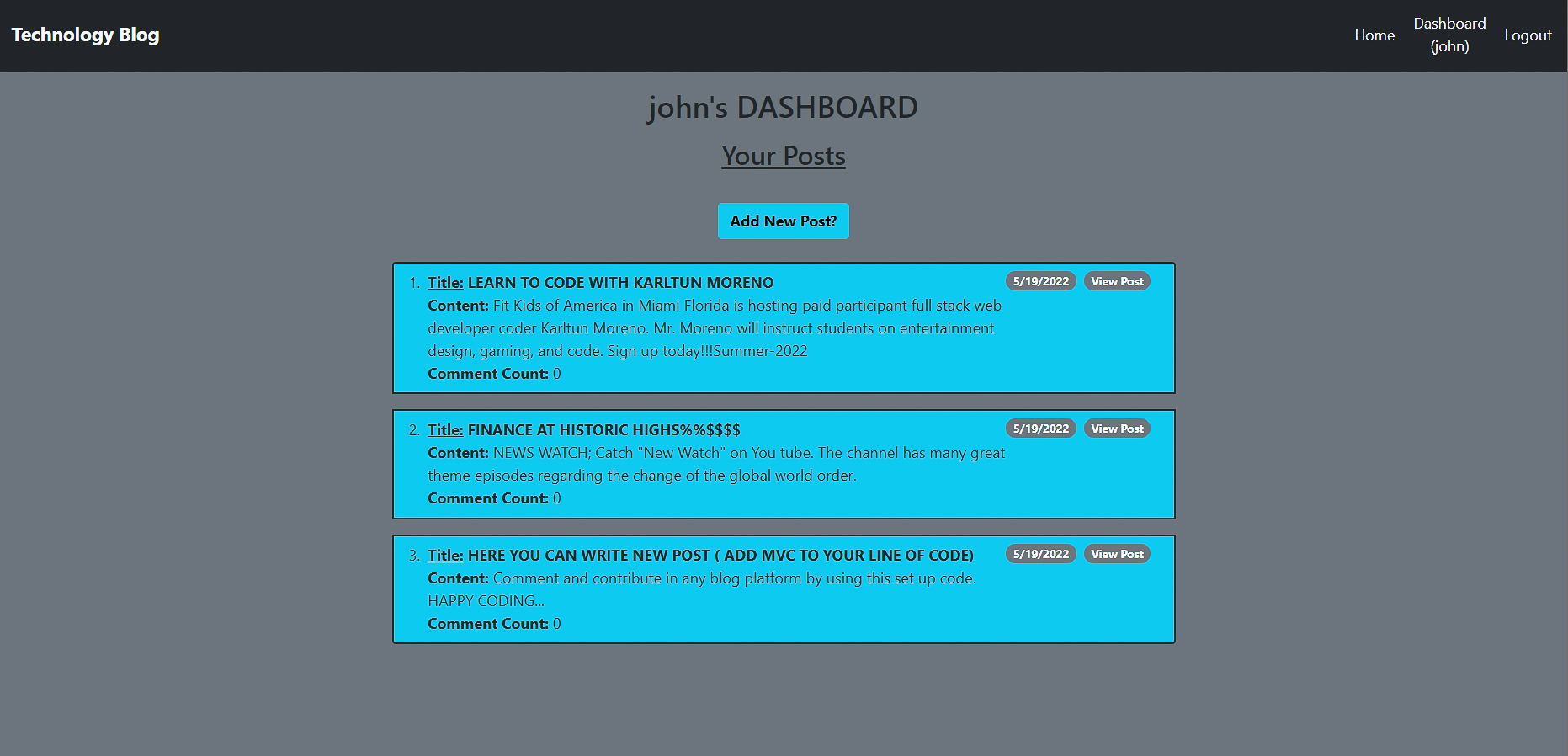
- Dashboard Access: Clicking the dashboard link takes me to my existing blog posts and offers the option to add a new post.
- New Blog Post: Creating a new post prompts me to enter a title and contents. After saving, I’m taken back to an updated dashboard with my new post.
- Existing Posts Management: In the dashboard, I can delete or update my existing posts.
Utilizes Node.js and Express.js to create and manage a server for a blog post sharing webiste.
NPM Packages:
- express: High performance framework for server-side applications
- express-session and express-session-sequelize: For session creation and to connect/sync the sequelize database to the session.
- mysql2 and sequelize: To connect the application to a MySQL database and to query that database within JavaScript rather than the MySQL command-line shell.
- dotenv: For setting environment variables.
- bcrypt: For password hashing.
- express-handlebars: For serving dynamic HTML based on database queries.
LINK TO APP SITE ON HEROKU https://arcane-beach-63003.herokuapp.com/home _______________________________________________________
TECH USED:

Back-end:




Installation Instructions
npm install
After this repository is cloned, open your command-line in this repository’s root directory to install the required dependencies denoted in the package.JSON file.
npm start
This will start the server on port 3001 for individual testing purposes. Navigate to localhost:3001/home to test the application out.
ctrl+C
Use this command to kill the server at any time.
Usage Comments
Used HTML routes to render using handlebars. Built a CMS-style Tech Blog with the required stack! On the same note, using MVC as your architectural structure! The way you went about initializing your app as well as loading and navigating through your routes was very clean and readable! You were able to configure your entire back-end optimally and demonstrated all the required routing and DB functionality in the browser on the client-side when navigating through your elements! Deployed application to Heroku, the url is fully functional!